
Why am I losing my connection while using Openings Studio?
Why it Happens
Openings Studio™ needs to connect to its servers to analyze projects and download project data. If you are experiencing issues when analyzing, exporting, or loading the application, it’s likely your network security system is blocking the connection.
To fix this, your IT administrator may need to whitelist Openings Studio’s website and services.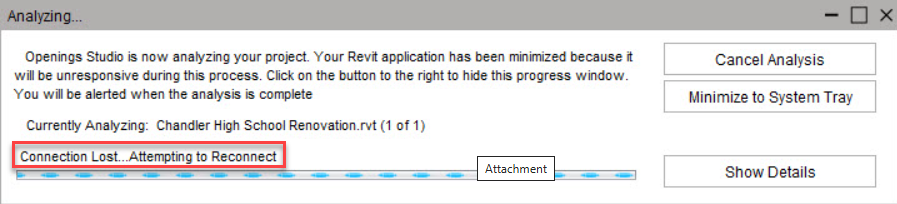
What is a Whitelist?
A whitelist is a list of trusted websites or applications that are allowed through your firewall or web filter.
When a site like OpeningsStudio.com is whitelisted, your system recognizes it as safe and lets it connect freely.
Fixing the Connection Issue
Ask your IT team to add the following addresses to your organization’s firewall or web filter whitelist. You should add the "Core Addresses" as well as the "Regional Addresses" for your geographical area. The notes in ( ) are just for reference, you will only add the IP address, and the aaosstorage domain.
Core Addresses (All regions)
*.openingsstudio.com
*.autodesk.com
*.azureedge.net
*.windows.net
13.66.22.96
Additional Tips
-
If you’re not sure how to whitelist a website, contact your IT administrator or firewall provider for assistance.
-
Every firewall configuration is different, so the steps to add exceptions can vary.
-
Make sure the Core and Regional addresses are added — these are required for Openings Studio™ to function properly.