
How do I change my password?
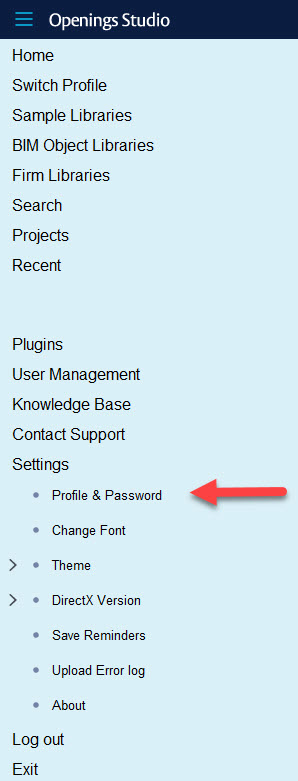
To change your password, go to Setting>Profile & Password in the Navigation (hamburger) menu.
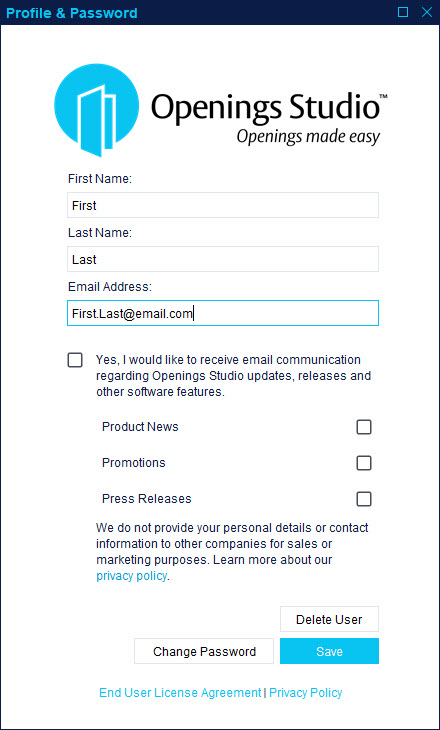
1. Click Change Password.
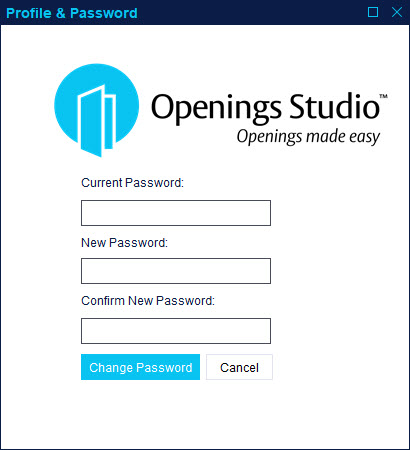
2. Enter a new password and click Change Password.
Helpful Tip!
Ensure you also change your password on the login screen the next time you access Openings Studio.