2025 DECEMBER | 3.27 Release Notes
Global reach. Local expertise.
Openings Studio gives you a global platform with local expertise baked in. It works wherever you are.
This release focuses on efficiency, collaboration, and accessibility. Copy mobile app data between projects to reuse inspections and surveys. Generate more targeted reports with "Upload Visualizer Images" that respect your door schedule filters. In addition, we have expanded translations throughout for a consistent, localized experience.
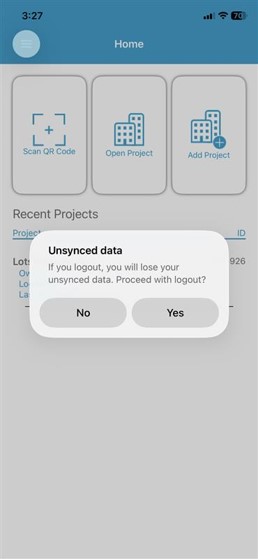
We've also improved the mobile app logout process and added support for the latest Android requirements.
Explore the full release notes to learn more about what's new in 3.27.
Wishing you the best!
The Openings Studio Team
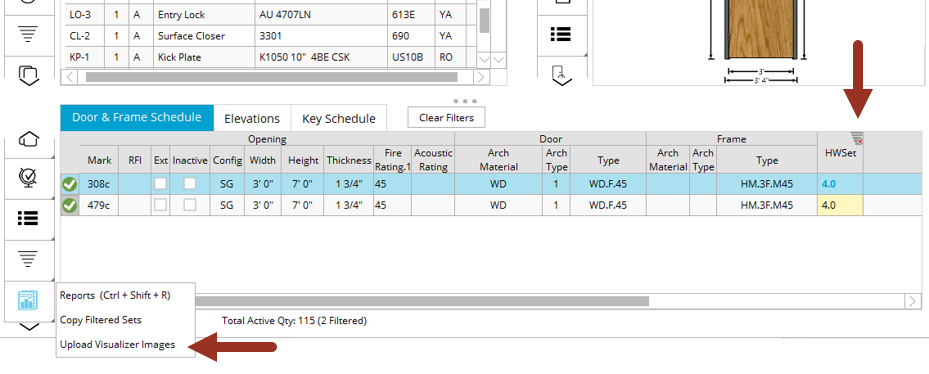
Change "Upload Visualizer Images" to follow the door schedule filter
The "Upload Visualizer Images" button now respects any filters applied to the door schedule. When generating reports, only images for the filtered doors will be uploaded, improving efficiency for large projects and targeted reporting.
More translations
Additional translations and localizations have been added throughout the application. This update improves usability and accessibility for our global users, ensuring that all interface elements are properly localized.
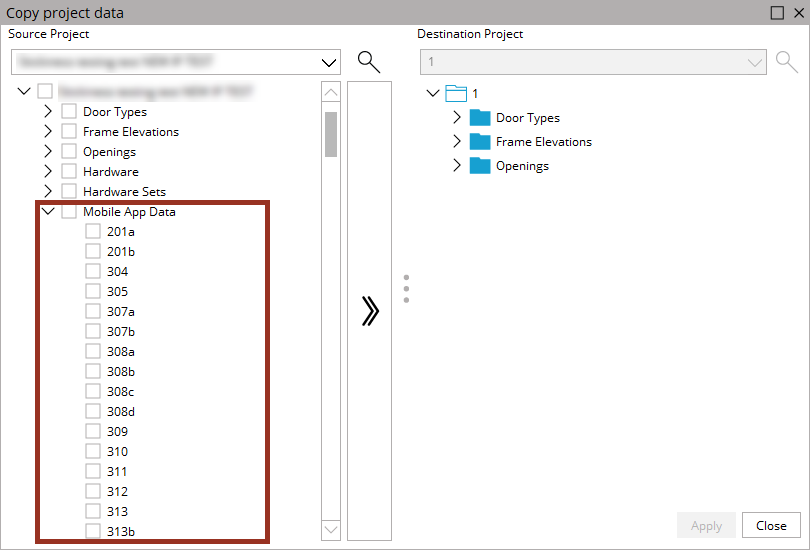
Copy mobile app data between projects
You can now copy mobile app data, including images, inspections, and surveys, from one project to another. This streamlines workflows when reusing data for specifiers, contractors, owners, and others.
Note: If mobile app data exists on an opening, we also added a warning to show that if you try to delete the row that you don't remove data you need.
Add Android support for 16KB memory page sizes
The mobile app now supports 16KB memory page sizes, in line with new Android requirements. This update ensures compatibility with the latest Android versions and improves app performance on supported devices and applies to Android 15 and newer. Users who are using Android 14 and older will need to upgrade to newer versions of Android.
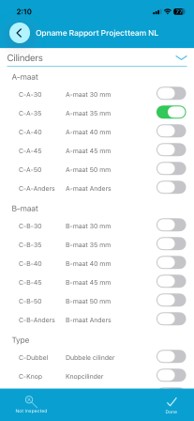
New Netherlands inspection
We have added a new inspection for our Netherlands team! This inspection will only appear in the mobile app for those that have the permission to use it.
Download all project hardware to the mobile app
All hardware that is added to a project through the desktop application will now appear in the mobile app, regardless of whether it is assigned to a door and a set. This change improves the setup of projects.
Mobile app logout updates
We addressed an issue where logging out of the mobile app could result in the user still appearing in the project. The logout process has been updated to completely release projects, if all project data is synced. If anything is unsynced, users will receive a warning about their data needing to be sync.